Have you forgotten your NSCDC recruitment portal login password 2026/2027? This is a common issued faced by applicants of the 2026 Civil Defence recruitment exercise so, you’re not along.
This guide unveils the step-by-step process on how to successfully retrieve your NSCDC recruitment portal login password 2026 and how to check verification status on CDCFIB portal. If you’re currently unable to access your dashboard, not to worry we’ve got you.
The Nigeria Security and Civil Defence Corps (NSCDC) recruitment process is supervised by the Civil Defence, Correctional, Fire and Immigration Services Board (CDCFIB) thus, recruitment.cdcfib.gov.ng equally serves as the official NSCDC recruitment portal link.
The functions of this portal are:
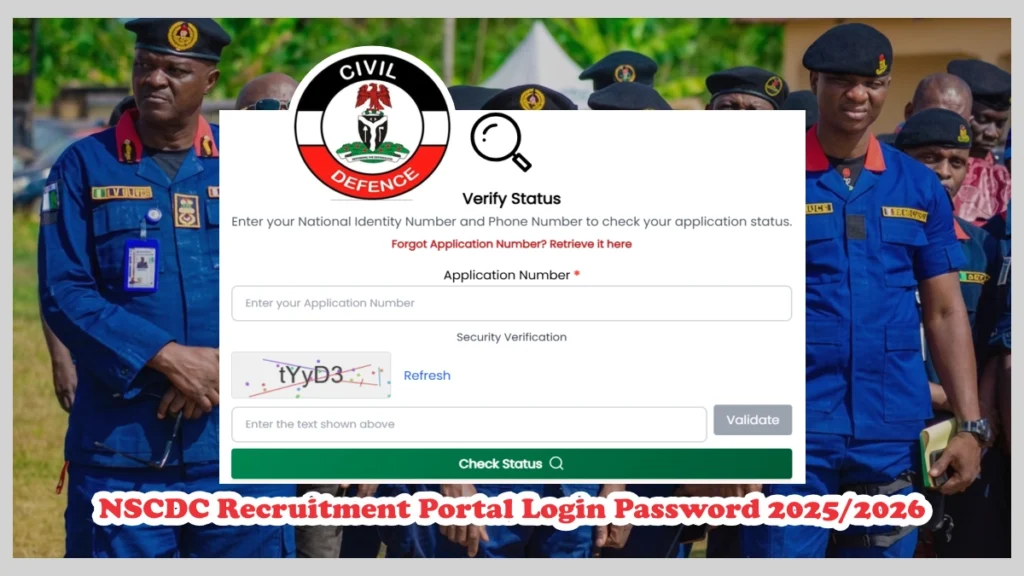
To confirm your status for physical screening, take the steps below.
Read Also: CDCFIB Shortlisted Candidates 2026 for Physical Screening, Portal Login
The common issues that may eventually prevent you from accessing the NSCDC recruitment portal are as follows:
To Before attempting password recovery, ensure you are using the same details submitted during application e.g. NIN, date of birth and name.
To successfully retrieved you lost login information on the Nigeria Security and Civil Defence Corps recruitment portal, take the steps below.
Note: If your NIN, application or phone number inputted is wrong, you might not be able to successfully retrieved your password.
Go to https://recruitment.cdcfib.gov.ng/lookup, enter your National Identification Number (NIN) or registered phone number and click retrieve to get new password and application number.
In case you no longer have access to the phone number used for application, you may need to contact CDCFIB recruitment support for assistance.
Read Also: Nigerian Fire Service Recruitment Portal Login recruitment.cdcfib.gov.ng
In cases where you do not have access to both your password and registered phone number, the very best remedy would be your National Identification Number (NIN).
Try the following:
Last remedy, visit https://recruitment.cdcfib.gov.ng/lookup, enter your National Identification Number (NIN), enter your name, answer the reCAPTCHA question.
“Invalid Login Credentials” This usually means that you entered the wrong password, incorrect NIN, or phone number. What you should do is cross-check the information you entered to confirm spellings are correct.
“Validation Failed” In this situation, it means the details you entered does not match what’s already on NSCDC portal records but if you’re so sure of the details then maybe the portal is experiencing technical glitch. What you should do is simply wait and then try again later.
“Portal Not Loading” This indicates that many applicants are trying to access the NSCDC recruitment portal at the same time. In such cases, the best thing to do is use another browser, clear browser cache or switch the network you’re using.
To avoid login challenges in the future:
Important Warning: NSCDC recruitment portal login password can be retrieved online at CDCFIB page https://recruitment.cdcfib.gov.ng/lookup for free. Also, applicants are not charge at any phase of the recruitment exercise, thus beware!
What is the official NSCDC recruitment portal? The official Nigeria Security and Civil Defence Corps recruitment portal is recruitment.cdcfib.gov.ng.
How do I retrieve my NSCDC recruitment portal login password? Open https://recruitment.cdcfib.gov.ng/lookup, enter your NIN or phone number then click retrieve.
Can I log in with my NIN? Yes, CDCFIB recruitment portal allows candidates to use their registered NIN to access the dashboard.
In conclusion, to retrieve your NSCDC recruitment portal login password 2026 is not difficult, simply visit recruitment.cdcfib.gov.ng/lookup, enter your National Identification Number (NIN) or phone number used for application and then click retrieve.

Discussion